
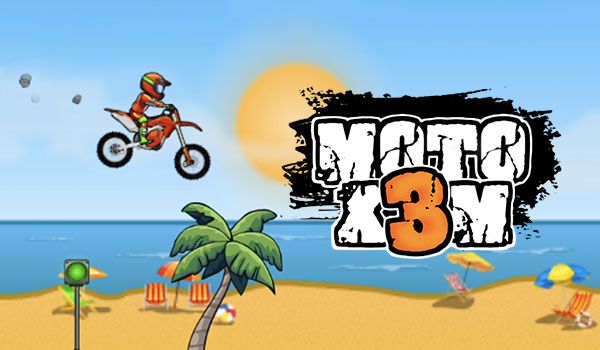
If you’ve just started playing Moto X3M, one of the first questions you might ask is: how do you stop in Moto X3M? Unlike traditional racing games, Moto X3M focuses on speed, balance, flips, and surviving dangerous obstacles. Stopping your bike correctly can help you avoid crashes, land safely, and complete levels faster.
Whether you’re a beginner or trying to improve your skills, this guide will explain exactly how stopping works in Moto X3M and when you should use it during gameplay.
Moto X3M Unblocked is a popular online bike racing game filled with crazy ramps, explosive traps, loops, and challenging obstacle courses. The game rewards players who combine speed with precise control.
Unlike simple racing games, Moto X3M requires careful timing. Sometimes going full speed is the worst strategy. Learning when and how to stop can save your run and improve your completion times.
The basic controls in Moto X3M are very simple:
To stop your bike in Moto X3M, simply press the Down Arrow key. This activates the brake and slows your motorcycle down.
If you continue holding the Down Arrow after stopping, your bike may begin moving backward depending on the terrain.
Many players think Moto X3M is only about speed, but stopping at the right moment is essential for success.
Here are several situations where braking helps:
Some levels contain spinning saws, collapsing platforms, or moving spikes. Slowing down before these obstacles gives you more control.
After performing flips, braking in mid-air can help stabilize your bike before landing.
Certain stages require perfect timing. Stopping briefly allows you to wait for the right opening.
Fast acceleration can send your bike flying off ramps. Using the brake helps maintain balance.
Once you understand the basics, you can use stopping strategically to become a better player.
Tapping the brake lightly is often more effective than holding it down continuously.
Use the Left and Right Arrow keys while braking to keep your rider stable during difficult landings.
Some loops and narrow ramps are easier to clear with controlled speed instead of maximum acceleration.
Experienced players memorize obstacle patterns and know exactly when to brake.
Here are a few mistakes new Moto X3M players often make:
Improving your stopping technique can instantly make levels easier.
Yes, you can completely stop your motorcycle by holding the Down Arrow key long enough. However, most levels are designed to keep momentum flowing, so stopping completely is usually only helpful in specific situations.
In many cases, slowing down slightly is better than stopping entirely.
The best way to master braking is through repetition. Replay earlier levels and experiment with different speeds. Try slowing down before jumps, traps, and moving objects to see how your bike reacts.
You’ll quickly notice that smart braking improves both survival and level completion times.
So, how do you stop in Moto X3M? The answer is simple: press the Down Arrow key to brake and control your speed. But mastering when to stop is what separates beginners from skilled players.
Moto X3M is all about balance, timing, and precision. Learning how to brake properly will help you survive dangerous obstacles, land jumps safely, and finish levels faster.
If you want to enjoy more exciting browser games after Moto X3M, visit Crazy Games Unblocked to discover tons of fun racing, action, and arcade games you can play instantly online.